Understanding HTML Tags and Elements
HTML : The Skeleton of Every Webpage
When you open any website, what you see—text, buttons, images, headings—needs some kind of structure. That structure doesn’t come from colors or animations. It comes from HTML.
HTML stands for HyperText Markup Language, but the name isn’t as important as what it does. HTML provides the basic structure of a webpage.
If a webpage were a human body, HTML would be the skeleton. It doesn’t decide how things look in detail, but it decides what exists and how it is organized.
What HTML Is and Why We Use It
HTML is a markup language used to describe the content of a webpage. It tells the browser, “This is a heading,” “This is a paragraph,” or “This is an image.”
Browsers don’t guess what content means. They rely on HTML to understand how different parts of a page relate to each other. Without HTML, the browser would just see plain text with no structure.
That’s why HTML is always the first thing learned in web development—it forms the foundation that everything else builds on.
What an HTML Tag Is
An HTML tag is a label wrapped in angle brackets that tells the browser what kind of content it is dealing with.
For example:
<p>This is a paragraph</p>
Here, <p> tells the browser that the text inside should be treated as a paragraph.
Opening Tag, Closing Tag, and Content
Most HTML tags come in pairs.
The opening tag marks where the element starts
The closing tag marks where it ends
The content sits in between
Example:
<h1>Hello World</h1>
<h1> is the opening tag</h1> is the closing tagHello World is the content
What an HTML Element Means
This is where beginners often get confused, so it’s important to be clear.
An HTML tag is just the label.
An HTML element is the entire structure: opening tag, content, and closing tag combined.
HTML Tag vs HTML Element

Self-Closing (Void) Elements
Some HTML elements don’t wrap content. They exist on their own and don’t need a closing tag.
These are called self-closing or void elements.
Examples:
<img src="photo.jpg">
<br>
<hr>
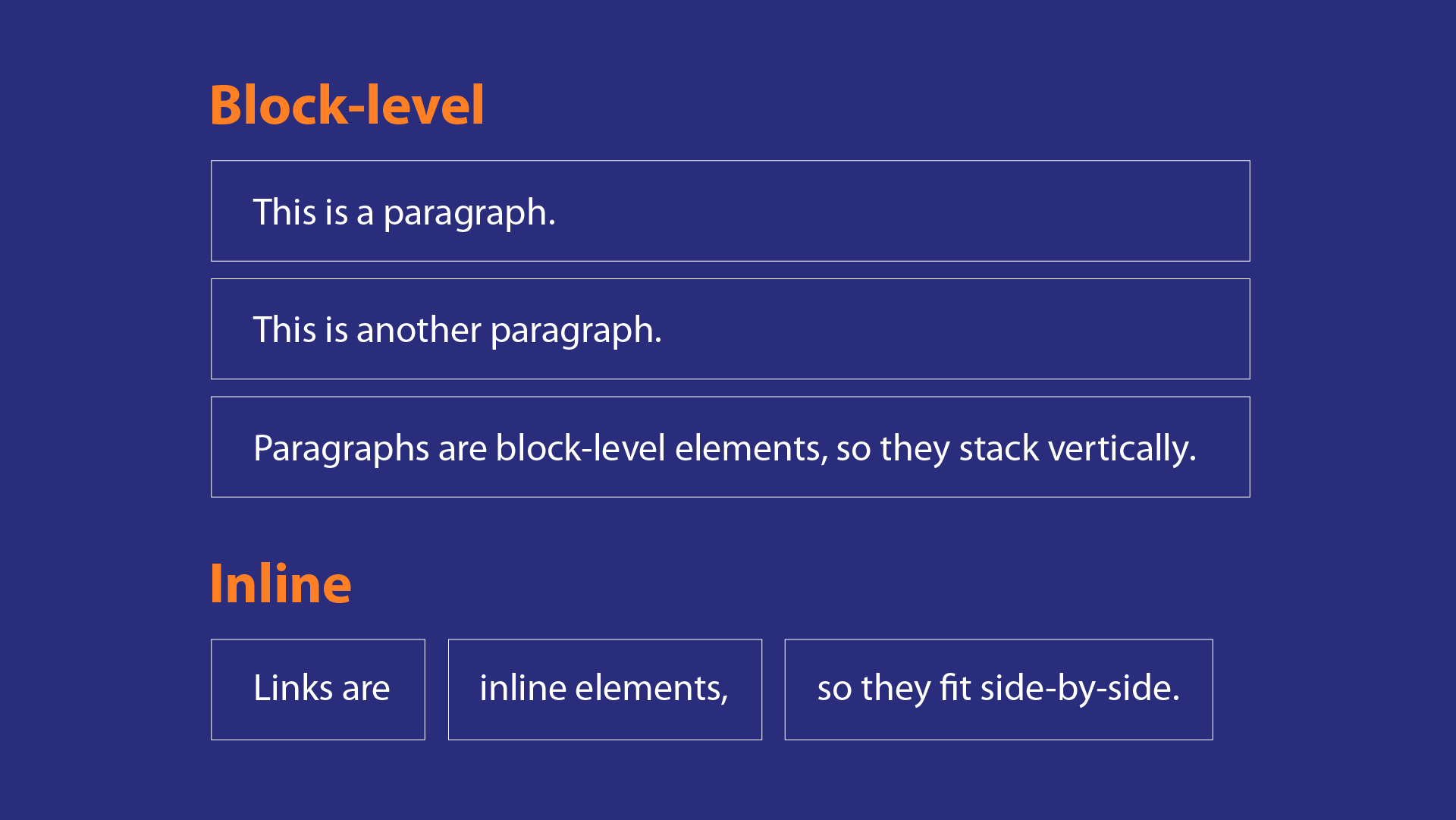
Block-Level vs Inline Elements
HTML elements also differ in how they behave on the page.
Block-level elements start on a new line and take up the full width available.
Examples include headings, paragraphs, and divs.
Inline elements stay within the flow of text and only take up as much space as needed.
Examples include spans, links, and emphasized text.
Commonly Used HTML Tags
Some of the most commonly used ones are:
<h1>to<h6>for headings<p>for paragraphs<div>for grouping content<span>for inline text grouping<img>for images<a>for links
A Tip for Learning HTML Faster
One of the best ways to learn HTML is to inspect existing webpages. Right-click on any page, choose “Inspect,” and explore the HTML structure.
Seeing real-world HTML helps you understand how tags are nested, how elements relate to each other, and how structure affects layout.